
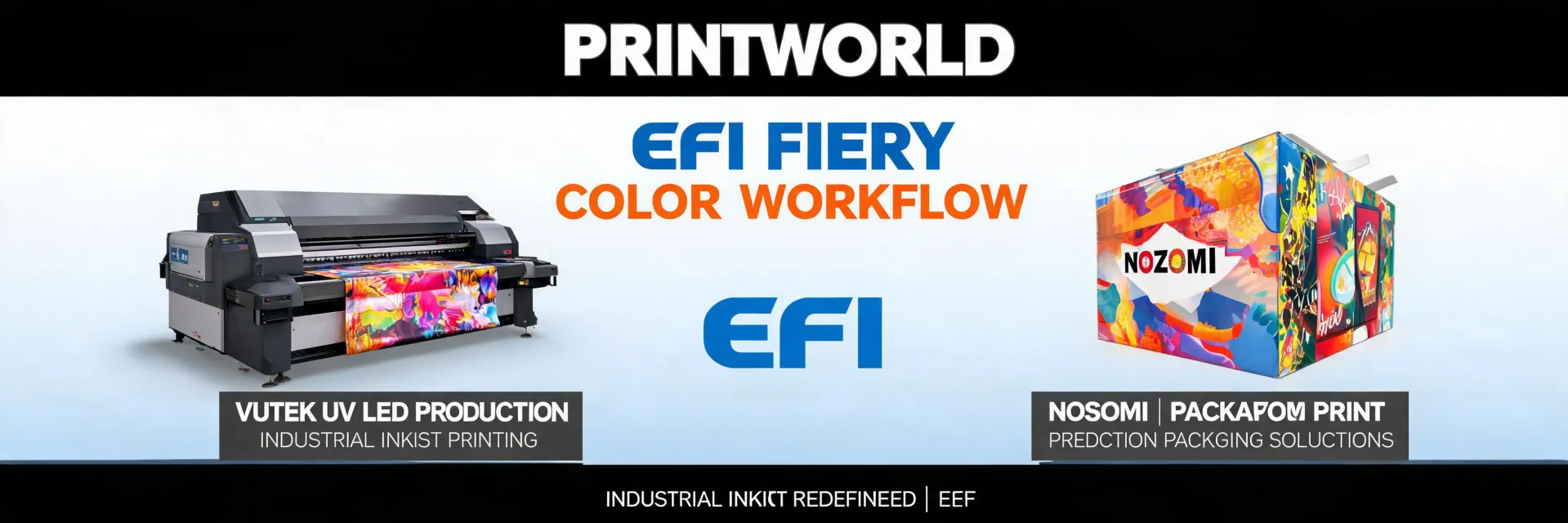
Let's get one thing out of the way first: the phrase "EFI fuel injector cleaning service" is probably why you're here, and I've seen it in my search logs more than once. EFI doesn't make injectors for your car. So if your engine is knocking, this article won't help. This is about the printer.
But here's the real question: if your EFI inkjet+ or industrial press is dropping offline, why is it happening, and what do you actually do about it? There's no single answer because your setup changes the fix. An H1625 in a 24/7 production environment has different problems than a VUTEk in a small sign shop being managed by one admin (that's me).
I manage purchasing and vendor relationships for our facility. We have about 60-80 orders annually across 8 different vendors, including our EFI service provider. When our Nozomi C18000 started going offline randomly in Q3 2024, it cost us a shift of production. The panic was real.
So, here's how I break it down—not as a tech, but as the person who has to figure out who to call and whether it's worth the service call.
Price disclosure: All pricing is approximate as of early 2025. Actual costs depend on your location, service contract, and specific model.
Three Scenarios, Three Answers
There's a feeling when a printer goes offline. You refresh the queue. You check the cable. You swear under your breath. But where you go from there depends entirely on your use case.
I break printer offline problems into three scenarios:
- Scenario A: Low-Volume / Occasional Use – You print a few hundred square feet a week. The printer sits idle sometimes. Driver or connection issue.
- Scenario B: Daily Commercial Work – Running multiple shifts, moderate volume. Network or power issue.
- Scenario C: Industrial Production – High uptime requirement, integrated into a workflow. Control system or serious hardware issue.
Scenario A: The Idle Printer That Loses Connection
If your EFI Pro 16h+ or a smaller flatbed sits for two days and then refuses to talk to your computer, you're likely dealing with a power management or driver issue.
What I do:
- Check the PC, not the printer. Windows update kills older printer drivers. 75% of my 'offline' calls were PC-side.
- Unplug and replug the USB cable. Old IT trick, but it works if the connection is loose. If that doesn't fix it, check if the printer is in a 'sleep' mode that drops the network card.
- Reinstall the printer driver. Not just 'check for updates.' Remove it entirely. EFI's website has specific drivers for specific models. Use those.
- Check the network switch. The port might be bad. Swap cables. I keep a spare Cat6 in the drawer for this reason. Costs $8 to prevent a $400 tech visit.
- Check the power supply to the control box. A failing power supply causes intermittent disconnects. The printer might work for 20 minutes, then hard reset. Listen for the fans. If they sound different, the PSU is struggling.
- Look at the error log on the printer's screen. Most EFI industrial models have a diagnostics page. Scroll down. Look for 'Network: Disconnected' or 'Link: Down'.
- The printer's touchscreen interface is frozen or unresponsive.
- The machine resets itself every 10-15 minutes.
- You see 'PSU Error' or 'System Comms Failure' in the logs.
- Document everything. Time of failure, what job was running, what the log says, and the ambient temperature (heat causes power supply failures).
- Verify the ink delivery system isn't the problem. No, seriously. A clogged ink line or a failing pump can cause the control system to halt and appear to be offline.
- Call for a service engineer. This is not a 30-minute fix. Expect $300-500 for the initial trip, plus parts. The key question: do you have a service contract that covers this?
- Are you running a 4-8 hour shift or less?
-> Scenario A. It's almost definitely a driver or PC sleep issue. Reboot everything. - Does the problem happen when you have high print activity?
-> Scenario B. Your network can't handle the data throughput, or a power component is on its last legs. - Is the printer part of a fully automated line?
-> Scenario C. Call the EFI service team. Your internal IT shouldn't touch it.
When to call for help: If a driver reinstall doesn't fix it within 30 minutes. The service call will be $200-400, but chasing a ghost will cost you more time.
Granted, this approach seems like basic IT. But when your production target is looming, you forget the basics. I have. Multiple times.
Scenario B: The Medium-Sized Problem (Network & Power)
This is the danger zone. The printing job is running, the machine is making money, and suddenly—silence. The queue says 'offline.' Your blood pressure spikes.
For our roll-to-roll EFI in 2023, this happened every few months. It drove the production manager insane.
What I do:
The TCO trap here: I once ignored a failing switch for months. I spent $1,200 on service calls for 'intermittent network issues.' Replacing the $90 switch fixed everything. The cheap fix wasn't cheap in the long run.
To be fair, the service provider never checked the switch. They checked the printer every time. My fault for not asking. Now, I check that first.
Scenario C: The High-Flow Nightmare (Where You Call the Pros)
This is for VUTEk GS series or Nozomi C18000 users. If the printer goes offline while in a full production run—the 'print engine offline' error, not the 'spooler stuck' error—it's usually a serious control system problem.
Take this with a grain of salt: I've only dealt with this twice. But both times, we couldn't do anything ourselves.
Signs it's a professional job:
What I do:
After 5 years of managing procurement, I've come to believe that the 'best' fix for an industrial offline issue is to have a backup plan. It sounds cynical, but if your machine goes down for 4 hours during peak season, you need an exit strategy. I rely on a manual recovery protocol. It's slower, but it kept us afloat.
How to Tell If You're in the Right Scenario
Here's the part that usually gets skipped in articles. You need to identify which scenario fits you. Not just 'sounds right.' Actually check.
One more thing: I'm not 100% sure on this next bit, but I think the new EFI inkjet+ firmware has a better log system. If you can update the firmware, do it. It might save you a call.
This approach worked for us, but our situation was a mid-size B2B operation with predictable production schedules. If you're a high-mix, low-volume shop (like a sign shop that does 50 different jobs a day), the calculus might be different. Your network is probably more complex.
Bottom line: Treat the 'offline' message like a symptom, not the diagnosis. Your printer is trying to tell you something specific. Listen to the error log, not the panic in your head.

Elise Marceau is an LED display and digital-signage systems analyst covering LED video walls, modular screens, transparent LED, control processors, and indoor or outdoor signage. She applies IEC 62368-1 safety principles while comparing pixel pitch, luminance, contrast, refresh rate, colour uniformity, viewing angle, ingress protection, power density, module serviceability, and signal redundancy. Her specification guides help integrators, venue operators, retailers, and procurement teams align viewing distance, ambient light, content format, installation access, electrical load, and lifecycle support.